User GuideStep 8/9
Work Schedules
Adding a work schedule
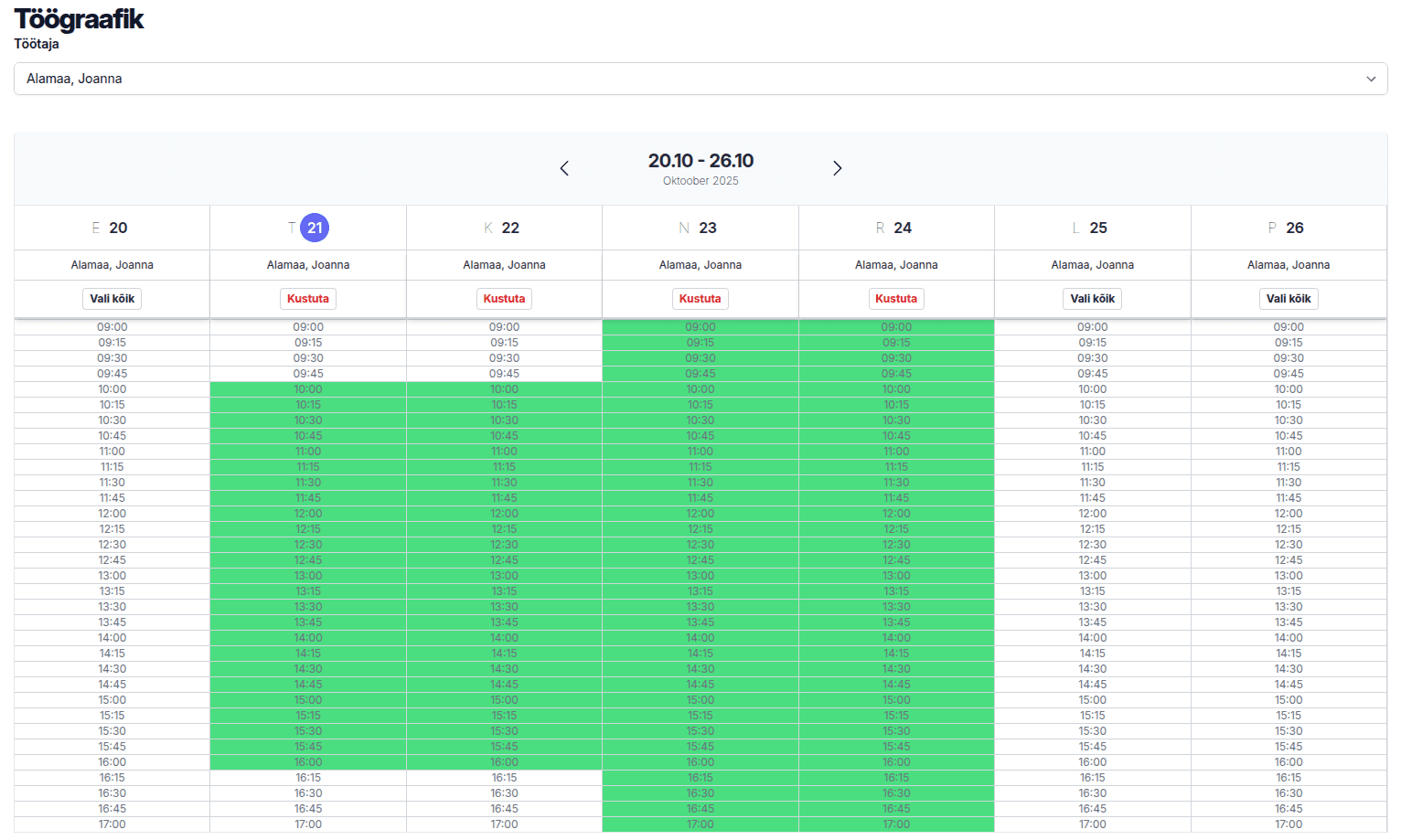
Each employee's weekly work schedule is added by hand. First choose the employee whose schedule you want to add, then select all the times when they provide services. If your working hours are always the same, we can enter them for you well in advance. Write to us if you would like that.
Work schedule "I choose daily work hours manually" option
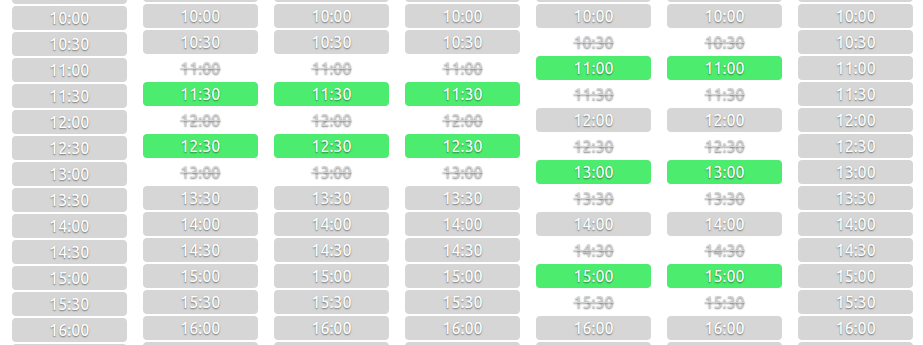
Work schedule "I choose daily work start and end time" option